
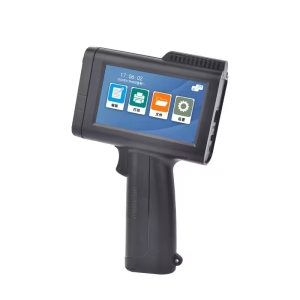
Portable printers have revolutionized how we print, offering convenience for travelers, photographers, students, and professionals. However, choosing the right one requires careful consideration of several factors. This guide explores key aspects to ensure you make an informed decision.
Table of Contents
Toggle1. Portability: Size, Weight, and Design
- Why It Matters: The primary advantage of a portable printer is its mobility.
- Considerations:
- Dimensions and Weight: Look for compact models (e.g., Canon SELPHY CP1300 weighs 1.8 lbs) that fit in bags.
- Battery Life: Check pages per charge (e.g., Epson WorkForce WF-110 offers ~100 pages). USB-C charging adds convenience.
- Design: Rugged builds (e.g., Brother PocketJet) withstand travel wear. Some include carrying handles.
2. Print Quality and Technology
- Why It Matters: Quality varies by technology and use case.
- Technologies:
- Inkjet: Ideal for photos (e.g., HP Tango X) with high DPI (up to 4800×1200). Requires frequent ink replacement.
- Thermal: Direct thermal (no ink, but fade-prone) suits receipts/text (e.g., Brother PocketJet). Thermal transfer is durable.
- Dye-Sublimation: Produces photo-lab quality (e.g., Canon SELPHY) with layered color application.
- ZINK: Ink-free (e.g., HP Sprocket) uses heat-activated paper. Lower DPI but convenient.
- Resolution: Aim for ≥300 DPI for text, ≥600 DPI for photos.
3. Connectivity Options
- Why It Matters: Seamless integration with devices is crucial.
- Options:
- Wireless: Wi-Fi Direct, Bluetooth (e.g., Polaroid Zip), NFC for tap-to-print.
- Cloud Services: AirPrint, Google Cloud Print, Mopria.
- Physical Ports: USB, SD card slots (e.g., Canon SELPHY).
4. Paper Compatibility
- Why It Matters: Limits on paper types/sizes affect usability.
- Considerations:
- Types: Thermal, ZINK, photo, or label paper. Verify availability and cost (e.g., ZINK sheets cost $0.30–$0.50 each).
- Sizes: Common sizes include 2×3″, 4×6″, or A4 (bulkier). Check reload mechanisms.
5. Cost Considerations
- Initial Cost: Ranges from $50 (basic thermal) to $300+ (high-end dye-sub).
- Ongoing Costs: Factor in ink/paper (e.g., Canon SELPHY paper packs cost ~$0.30 per 4×6″ print).
- Cost-Per-Page: Compare long-term expenses across technologies.
6. Ease of Use
- Setup: Plug-and-play models (e.g., HP Sprocket) require minimal configuration.
- Apps: Look for intuitive apps (Canon PRINT, HP Smart) with editing tools.
- OS Compatibility: Ensure support for iOS, Android, Windows.
7. Additional Features
- LCD Screens: Preview images (e.g., Canon SELPHY).
- Voice Control: Alexa/Google Assistant integration (e.g., HP Tango).
- Multi-Function: Scanning/copying (rare in portables).
8. Durability and Build Quality
- Materials: ABS plastic or metal casings enhance longevity.
- Environment Resistance: Some models offer water-resistant coatings.
9. Brand and Support
- Reputation: Trusted brands like Canon, HP, Epson, and Brother offer reliability.
- Warranty: Typically 1–2 years. Check customer service reviews.
10. Environmental Impact
- Energy Efficiency: Look for Energy Star certification.
- Recycling: Brands like HP and Canon offer cartridge recycling programs.
11. Accessories
- Cases: Protect during travel (sold separately for many models).
- Batteries: Extra packs extend usage (e.g., Epson WF-110).
12. Use Cases
- Photos: Prioritize dye-sub/ZINK printers (Canon SELPHY, HP Sprocket).
- Documents: Opt for thermal or compact inkjets (Brother PocketJet, Epson WF-110).
- Labels: Thermal label printers (Brother PT-P710BT).
Conclusion
When selecting a portable printer, balance portability, print quality, and cost. Define your primary use—whether for photos, documents, or labels—to narrow options. Prioritize connectivity that suits your devices and consider long-term expenses. Brands like Canon and HP offer versatile models, while Brother excels in durability. By aligning features with your needs, you’ll find a printer that enhances productivity without compromising on convenience.